 Español
 Bahasa Melayu
 Français
Lucky Star Login: Get Back Into Your Account Fast
Lucky Star login uses your registered phone number or email and password. Tap Login in the header to open the form. If your password no longer works, choose Forgot your password? beneath the password field; the fixes below cover the other access problems.
- A rejected password has a recovery route: Forgot your password? in the Login window.
- For ordinary access, select Phone or Email and use your registered details with your password; Google, Telegram and Steam are alternatives.
- If the window will not open, contact the chat.
- Need an account first?
- Start with registration.
Lucky Star login at a glance
Password recovery and the available sign-in methods share the Login window.
| Account access | Details |
|---|---|
| Support | 24/7 chat |
| Password recovery | Forgot your password? beneath the password field |
| Standard sign-in | Registered phone number or email, plus password |
| Social sign-in | Google, Telegram or Steam |
| Password at registration | At least 6 characters |
| Two-factor protection | None; sign-in uses a password |
| Verification | Required before withdrawals |
New players can choose their currency and credentials during account registration.
Lucky Star login problems and what to do
A forgotten password has its own recovery option beneath the form. A different phone number or email will not identify the account you registered.
Password keeps failing
Choose Forgot your password? and enter your account details to start recovery.Email or phone does not match
Select the matching tab and use the same phone number or email you entered at registration.Indian number will not fit
The Phone field uses +91 for India. Enter the number in the format shown beside the country selector.The site will not open
Support and the brand's official channels provide the current address. Availability depends on your country.Another device is still signed in
Open Settings, then Active sessions, to end access on other devices.Verification requested for withdrawal
Prepare identity, address and payment-method documents. Chat support handles questions about the request.
For an access problem that remains unresolved, sign-in support provides chat and email contacts.
Sign in in five steps
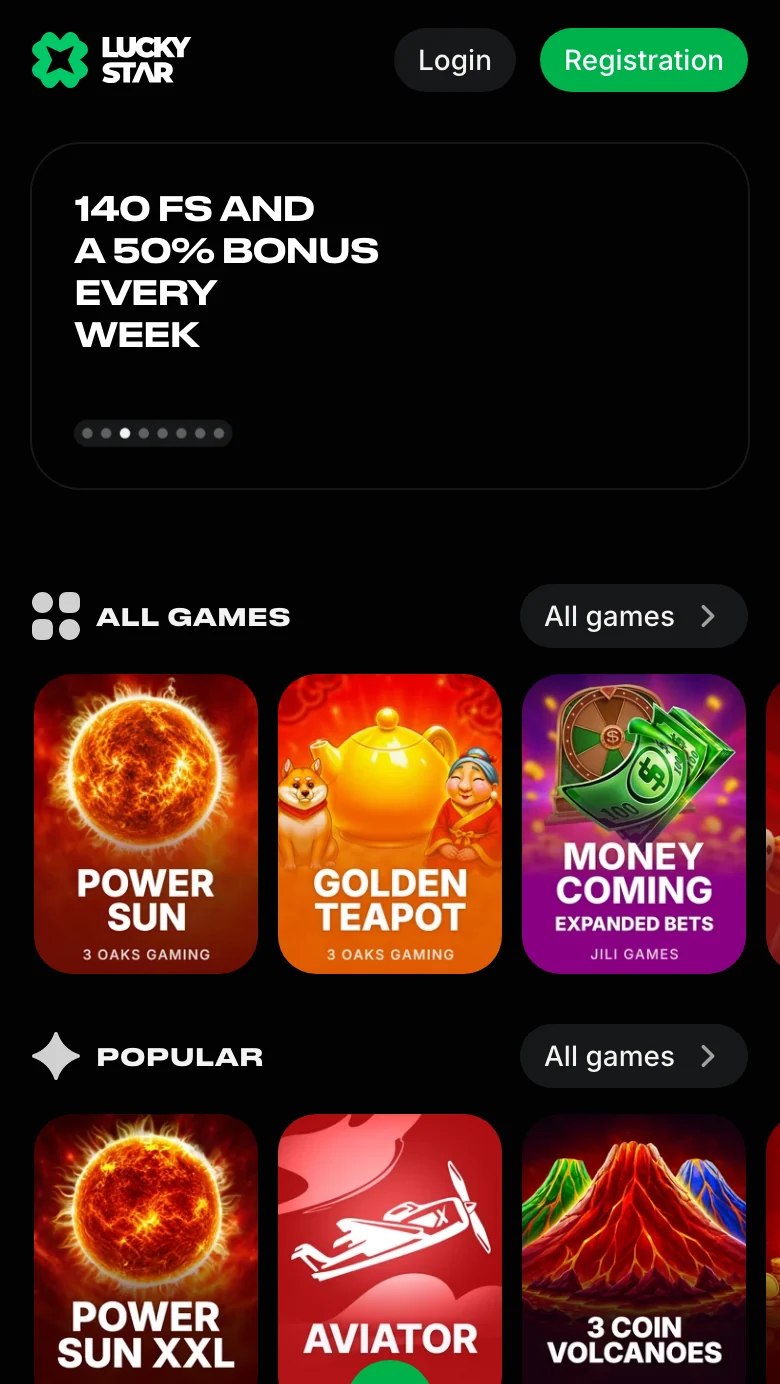
The Login button sits beside Registration in the header. It opens a form with separate Phone and Email tabs, so select the field that matches your credentials.
- 1
Open the site
Open the casino home page to reach the header controls. - 2
Tap Login
Use Login beside Registration to open the sign-in window. - 3
Choose Phone or Email
Select a tab and enter the details registered to your account. - 4
Enter your password
Fill Password, then press the green Log in button. - 5
Open your account
After sign-in, your account gives access to your ID and balance.
To reach the header and its Login button, Go to the site.
If you have no credentials yet, create an account through Registration instead.
The sign-in on a phone
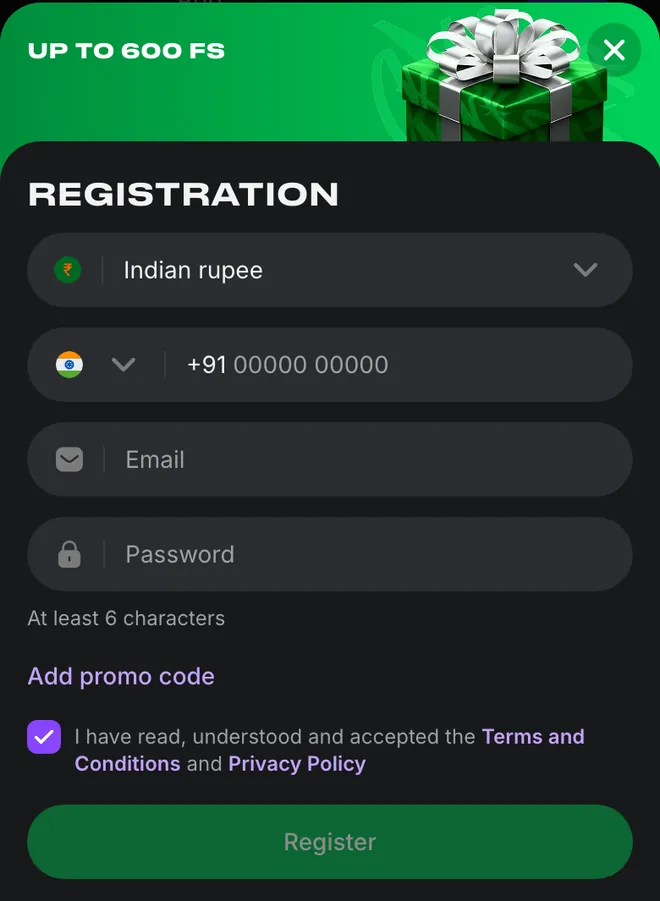
Phone and Email appear above the password field on mobile. The registration form instead starts with a currency selector; Indian rupee is selected for India.
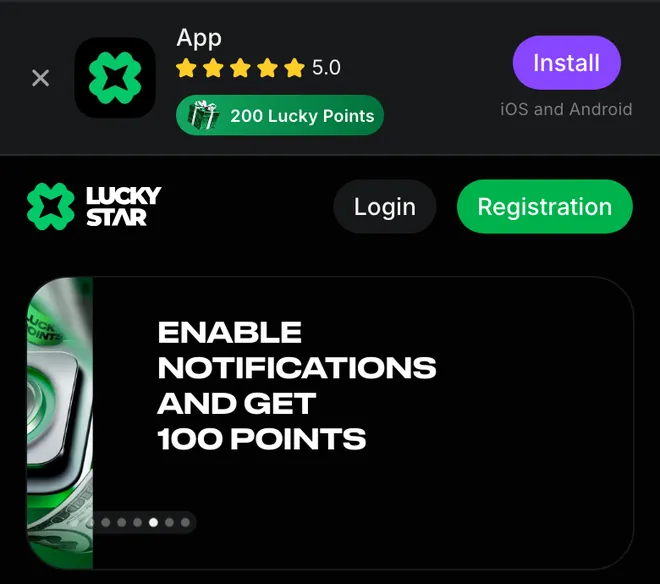
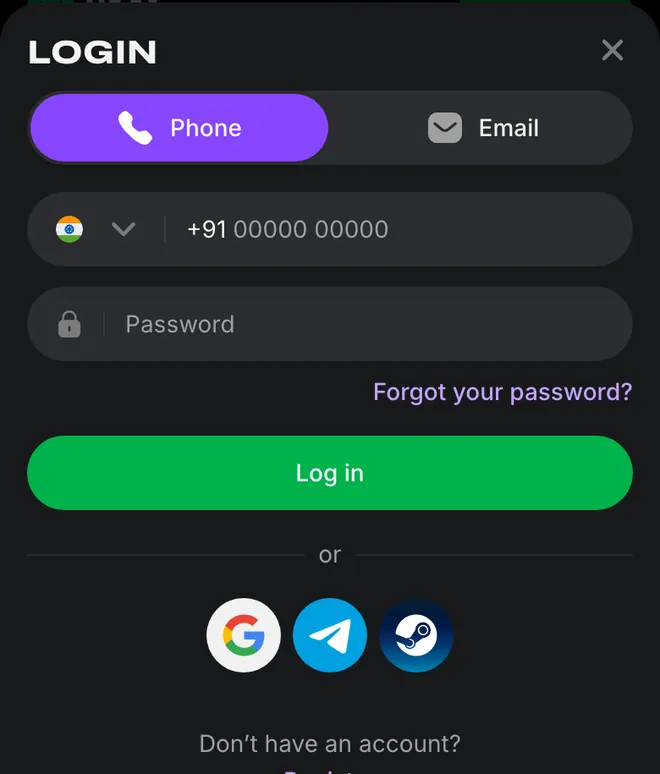
1. Tap Login beside Registration to return to an existing account.
2. Choose Phone or Email; Forgot your password? sits below Password.
3. For a new account, select your currency and enter your phone, email and password.
The app instructions cover Android and iOS installation.
Find password recovery on desktop
Forgot your password? sits above the green Log in button on desktop. Open it and enter your account details to begin recovery.
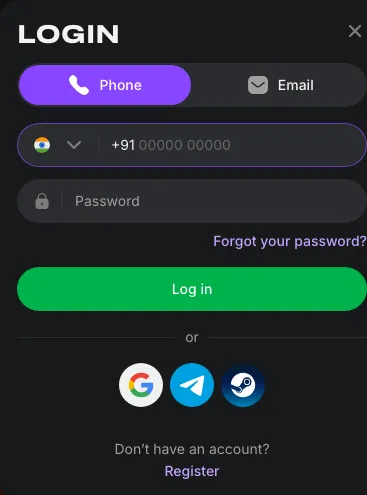
If recovery does not restore access, contact account support for help with your existing account.
Your account area after login
Your account brings together your balance and transaction records. Bonuses and Bonus codes have separate entries, while Settings holds personal details and session controls.
| Menu entry | What it contains |
|---|---|
| ID and balance | Account identifier and funds |
| Deposit / Withdraw | Funding and payout controls |
| Bonuses | Available and active offers |
| Bonus codes | A Code field and Activate control |
Show the full account menu
| Menu entry | What it contains |
|---|---|
| Bet history | Your betting record |
| Transaction history | Your payment record |
| Settings | Personal details, contact details and password |
| Support | Help with your account |
What a Lucky Star account holds
Lucky Points have their own balance, separate from your money. Add + opens additional currency accounts alongside the main account.
The payment methods explain the funding options for India; the casino and sportsbook overview covers the main sections outside your account.
Account safety
Password protection is the only sign-in safeguard: there is no two-factor option. Use a password reserved for this account.
Keep the password unique
Set a password you do not use for another service. Settings contains the password option.End other sessions
Use Active sessions in Settings to end access elsewhere, and Log out when you finish.Change confirmed details
Contact support to change personal details that have already been confirmed.
The account rules set out the requirements for using an account.
Your first moves after signing in
Bonuses contains available and active offers. Phone and email confirmation has its own offer, separate from the deposit package.
Confirm phone and email
40 free spins for confirming your phone number and email.Make your first deposits
Up to 600 free spins on your first 4 deposits: 130 / 140 / 160 / 170 free spins. Each bonus activates with a deposit, once.Install the mobile app
200 Lucky Points for installing the app on iOS or Android.Prepare for a withdrawal
You can play straight after registration. Withdrawals require identity, address and payment-method verification.
The bonus offers explain the promotions; withdrawal requirements cover the documents needed for a payout.
Registration is a separate form
Registration asks for a currency before your contact details. Add promo code expands the optional code field; the checkbox records agreement with the terms and privacy policy.
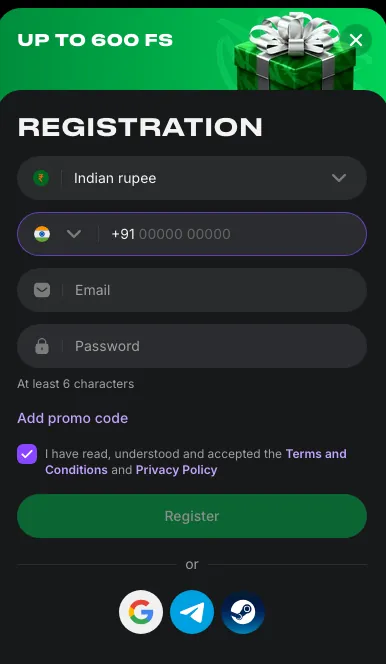
Complete the account creation steps if you are opening an account for the first time.
Support when sign-in fails
Contact options
- Live chat
- 24/7
- contact@lucky-star.best
Account help
- ✓Password recovery starts in Login
- ✓Confirmed personal details change through support
For an unresolved complaint, support contacts and escalation explain the next contact route.
Before using a bonus or requesting a payout
Free-spin winnings move through Bonus wagering before reaching the main balance. Requesting a withdrawal with an active bonus cancels that bonus; activating another bonus also cancels the current one.
The minimum deposit, wagering and limits are in the bonus card in the Bonuses section. The card also sets the activation and wagering deadlines; missing a deadline cancels the bonus.
Lucky Points exchange starts at 1,200 points after your first deposit, at the rate for your account currency. Money received from the exchange requires x1 wagering before withdrawal.
For KYC, prepare an identity document, a utility bill no older than 3 months and proof that you own the payment method. The verification and payout process explains the withdrawal steps.
Login terms explained
Active sessions controls access on other devices; KYC concerns verification before a payout.
- KYC
- Know Your Customer: identity, address and payment-method verification required before a withdrawal.
- Active sessions
- The Settings option for ending account sessions on other devices.
- Bonus wagering
- The casino category where free-spin winnings are wagered before transfer to the main balance.
- Lucky Points
- Loyalty points shown separately from the account's money balance and exchangeable under the programme rules.
Sources
Where the facts on this page come from
- Lucky Star home page and account formsLogin and Registration controls
- Lucky Star rulesAccount access and verification requirements
Quick answers
Tap Login in the header, select Phone or Email and enter the details used at registration. Enter your password and press Log in to reach your balance and account menu.
Yes. Their buttons sit beneath Log in, below the divider marked or. Choose the service you used to create your account.
Open Forgot your password? under the password field and enter your account details. If recovery does not resolve the problem, account support provides chat and email contacts.
No. Sign-in uses password protection without a two-factor option. Use a password you do not use elsewhere; Settings also contains Active sessions for ending access on other devices.
No. You can play straight after registration; verification is required for withdrawals. Prepare an identity document, proof of address and proof of payment-method ownership as set out in the withdrawal requirements.
Tap Registration beside Login. The form asks for your currency, phone number, email and password, with an optional promo-code field. The registration steps explain how to complete it.
- First version of the page. Phone and email sign-in steps, password recovery and account support contacts.
About this site
This site is informational: it is not Lucky Star or its official page, and it takes no deposits or bets.
The operator's published rules do not name a licence, regulator or legal entity. Availability depends on the country, and offer terms depend on the country and the account currency.
18+ only. Gambling can be addictive – read the safer-gambling page.
 Welcome offer