 Español
 Bahasa Melayu
 Français
Lucky Star Customer Support: Chat, Email, Complaint Path
Lucky Star customer support has two contact routes: chat, open 24/7, and contact@lucky-star.best. A complaint starts with support, moves to management by email and can then go to an external dispute service whose details support supplies on request.
- Chat is open 24/7; the support email is contact@lucky-star.best.
- For an unresolved complaint, email management with your support correspondence, then request details of an external dispute service if needed.
- Betting claims must reach support within 30 days; game claims within 12 weeks.
Lucky Star customer support at a glance
Chat and email handle account enquiries, with an email route for escalating complaints.
| Topic | Contact or route |
|---|---|
| Live chat | 24/7 |
| contact@lucky-star.best | |
| Phone line | Not listed in the published rules |
| Unresolved complaint | Support → management by email → external dispute service |
| Betting claim deadline | Within 30 days |
| Game claim deadline | Within 12 weeks |
| Confirmed profile details | Changes through support |
| Deposit limit requests | Through Customer Service |
The published rules and status provide the context for account enquiries and disputes.
Contact channels
Contact Lucky Star
- Chat
- 24/7
- contact@lucky-star.best
Your account
- ✓Profile changes go through support
- ✓Deposit limits via Customer Service
- ✓Self-exclusion form in account settings
Lucky Star in brief
- Launched
- 2023
- Games
- More than 13,000 on 12.11.2026
- Languages
- 10+
- Account currencies
- 70+
Chat is the direct route for a payment or account question. Email carries the written complaint to management when the first answer has not settled the issue.
Chat or email?
Use the Support 24/7 option for an initial enquiry. For escalation, write to contact@lucky-star.best and attach the earlier exchange so management can review the same issue.
Questions about the content of this website belong with the site contact, while account and payment questions go to Lucky Star support.
Information in the mobile footer
The mobile footer has a folding Information section and an EN language selector. The Android installation banner sits below the menu.
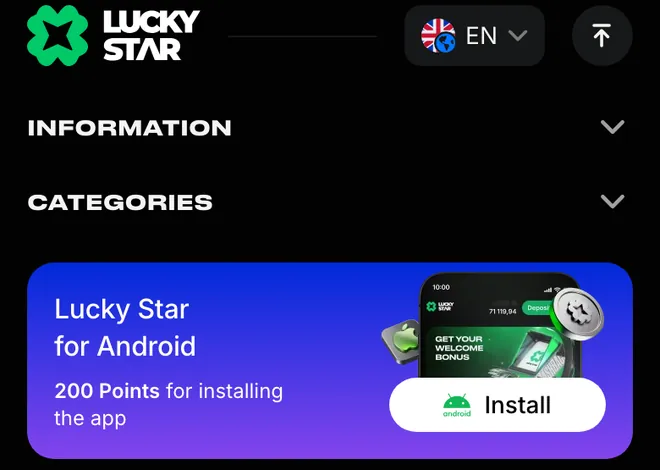
Installation options and device instructions are covered in the mobile app section.
What to prepare
A payment enquiry needs your account ID, payment method and amount, plus the transaction reference. Add a screenshot of the error and the email associated with your profile so the message identifies both the account and the payment.
Identify the payment
For a UPI transfer, include the 12-digit UTR. The deposit instructions use that reference in Payment Details after I Paid. Send the reference with the amount rather than leaving support to identify a transfer from the amount alone.
The account ID is part of the account area. Include it in the enquiry alongside the payment details; for an access problem, explain which login method you used and add the visible error.
If you cannot sign in
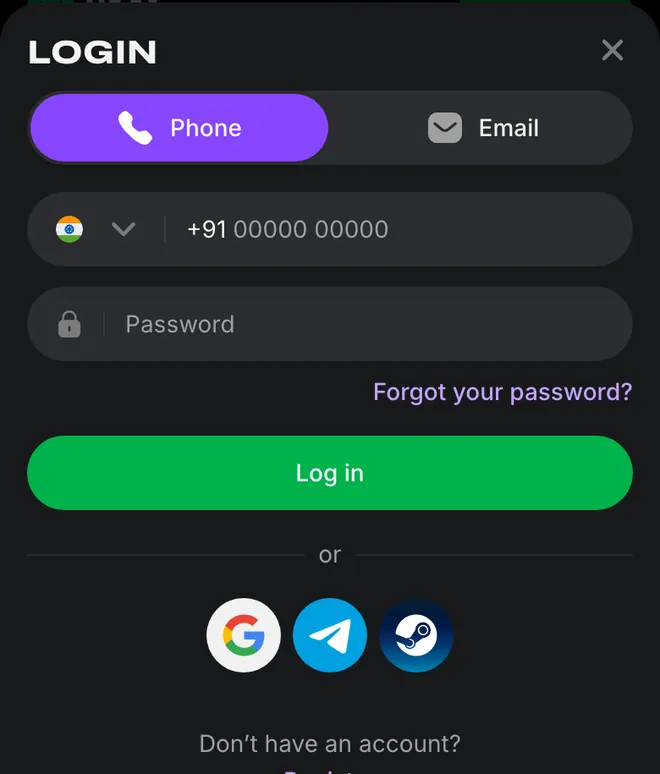
Tap Login in the header to open the Phone and Email tabs. Forgot your password? is the recovery option in that window. Registration opens a different form; an existing account uses the login route.
The login and password recovery steps explain these entry options before you send an access enquiry.
Can't reach the site?
Support can provide the current address when an access address changes. If the site does not load, email remains the contact route outside the site.
The address
Ask support for the current site address if the address you used no longer opens.Region
Availability depends on your country. Include your location and the message displayed when reporting an access problem.Get the current link
Use chat when the site is reachable, or email contact@lucky-star.best when you cannot open it.
Once the site opens, continue with the account login options for your existing profile.
What support handles
Support handles payment enquiries and changes to confirmed account details. Bonus questions use the email address associated with your profile; verification questions concern the documents required for a withdrawal.
Allowed
- ✓Payment and withdrawal enquiries
- ✓Verification questions
- ✓Bonus questions by email from your profile address
- ✓Changes to confirmed account details
- ✓Deposit limits through Customer Service
Not allowed
- ✕VPN use to bypass restrictions is prohibited by the rules
- ✕Opening a second account
- ✕Sharing your account
Watch out
- !Betting claims: within 30 days
- !Game claims: within 12 weeks
- !Self-exclusion uses the form in account settings
Route the request correctly
- 1
Missing payment reference
Include the transaction reference with the method and amount when asking about a payment. - 2
Bonus question from another email
Send the question from the email associated with your account profile.
Verification and payment questions
The published KYC requirements cover an identity document, proof of address through a utility bill no older than 3 months and proof that you own the payment method. Your profile name must match the payment details. A support enquiry about verification should identify which requirement the question concerns.
For a pending payout, compare the request with the withdrawal rules and verification requirements before describing the issue to support.
Deposit controls and self-exclusion
Customer Service handles deposit limits for a day, week or month. A lower limit takes effect immediately; an increase takes effect after 24 hours. Self-exclusion uses the form in account settings; support can also take the request.
The account limits and self-exclusion options explain the available periods. GamCare, Gambling Therapy and Gamblers Anonymous are the external help organisations named in the rules.
Find the rules for your enquiry
KYC Policies and Dispute Resolution have separate entries on the Rules page. Responsible gaming and Self-Exclusion also appear as separate sections, so the enquiry can name the relevant subject.
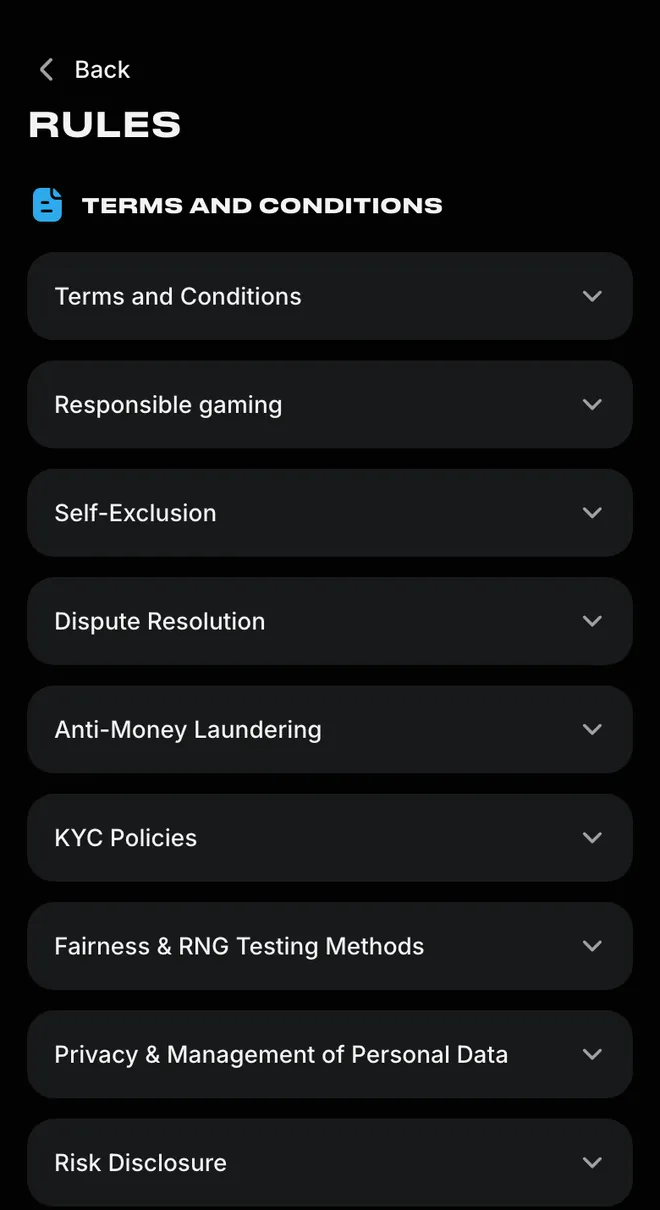
The rules and status summary brings together the published account terms.
From chat to dispute service
An unresolved complaint can move from support to management by email. Attach the correspondence at that stage; the next route is an external dispute service, with contact details supplied by support on request.
- Where does a complaint start?
- With support. Explain the payment, bet or game issue and include the references that identify it.
- What if the first answer does not settle it?
- Email management at contact@lucky-star.best with the earlier support correspondence attached.
- Can the dispute go beyond management?
- Yes. Request the contact details of an external dispute service from support if the issue remains unresolved.
- What are the claim deadlines?
- 30 days for betting claims and 12 weeks for game claims. Submit the relevant claim within its deadline.
Terms and Conditions contains the complaint provisions, while Dispute Resolution has its own entry in Rules. Keep the earlier exchange attached when escalating so the written complaint includes the support response you are contesting.
The published rules are the reference for the complaint route; support provides the dispute service details on request.
Open Terms and Conditions
Terms and Conditions is the first named rules section. Open it for the complaint provisions; Dispute Resolution is a separate entry further down the same menu.
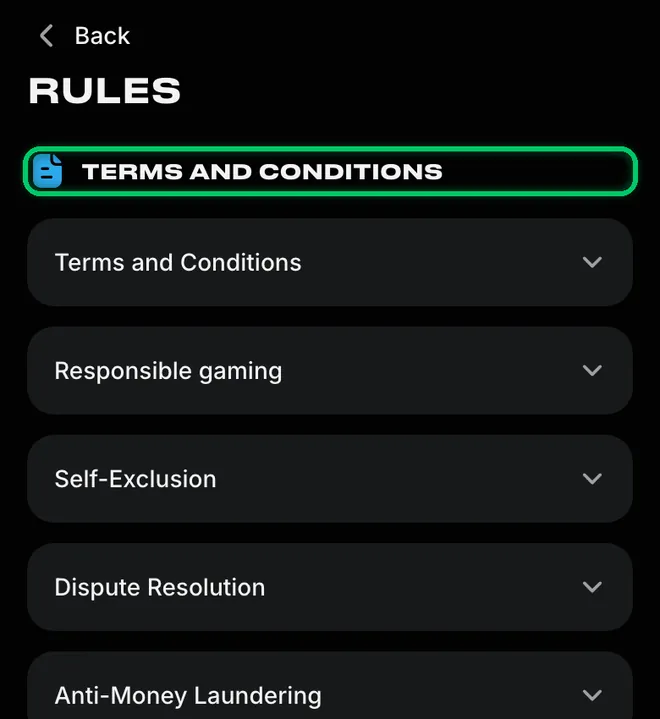
Account access questions follow the login and recovery options; a complaint about an earlier support answer follows the escalation route above.
Support terms explained
- UTR
- Unique Transaction Reference: the payment reference used to identify a UPI transfer.
- KYC
- Know Your Customer: verification of identity, address and ownership of a payment method.
- Self-exclusion
- An account restriction requested through the form in account settings for a chosen exclusion period.
Sources
Where the facts on this page come from
- Lucky Star rules: complaints, dispute resolution and account controlsTerms and Conditions; Dispute Resolution; KYC Policies
- Lucky Star home pageSupport 24/7 and public account access
Lucky Star customer support FAQ
Yes, the live chat operates around the clock. Email is a separate contact route; the 24/7 availability refers to chat.
No phone line is listed in the published rules. Use live chat or email contact@lucky-star.best for account enquiries.
Start with support, then email management with the correspondence attached. If the matter remains unresolved, request the details of an external dispute service. Submit betting claims within 30 days and game claims within 12 weeks.
The self-exclusion request uses the form in account settings. The available periods are 1, 3, 5 or 10 years, or permanent exclusion. The account restriction options explain the available breaks and limits.
Email support for the current address if you cannot reach chat. Availability depends on your country. Once the page opens, use the account login options to access your existing account.
Live chat and contact@lucky-star.best are the two support contacts. Choose chat for an account enquiry; use email to attach the correspondence when escalating a complaint.
- First version of the page: support contacts, what to prepare and the complaint route.
About this site
This site is informational: it is not Lucky Star or its official page, and it takes no deposits or bets.
The operator's published rules do not name a licence, regulator or legal entity. Availability depends on the country, and offer terms depend on the country and the account currency.
18+ only. Gambling can be addictive – read the safer-gambling page.
 Welcome offer